The Shared Pharmacy Login Is Basically a Group Chat You Never Joined
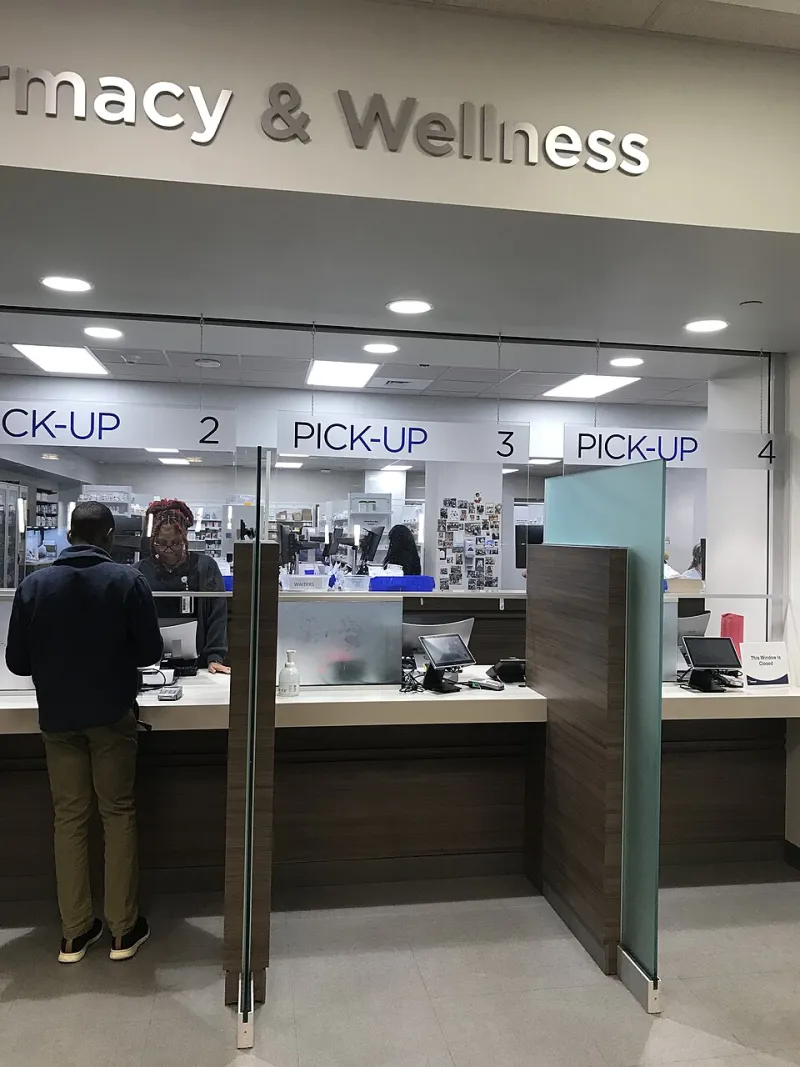
Photo: Infrogmation of New Orleans, CC BY-SA 2.0, via Wikimedia Commons
There is a specific kind of quiet that happens when your phone lights up with a pharmacy notification and your teenager is sitting close enough to read it. The message is usually boring: your prescription is ready. But if the notification includes the medication name, the boring part is suddenly not the point.
Shared pharmacy accounts are common for good reasons. One login for the family, one place to track refills, one password that everyone vaguely remembers. The problem is that a pharmacy dashboard is not a group chat. It is a record of what each person takes, when they take it, and which insurance paid for it. If tadalafil is in that record, privacy is not a setting you can simply toggle on. It is a set of habits, account choices, and small conversations with the pharmacy counter.
Start With the Account, Not the Pill
The first move is to figure out what kind of account you actually have. Some pharmacy apps let a household create separate profiles under one login. Others treat the login as the patient, which means everyone who signs in can see the same history. Those are very different situations.
If your pharmacy offers separate profiles, use them. Give each adult their own sign-in credentials, even if the accounts are linked at the household level. A shared password is the privacy leak. A shared household is not.
If the app only supports one profile, ask the pharmacy whether it can separate your prescriptions into an individual account. Some pharmacies can split contact preferences, notification methods, and even profile access. Others cannot, or they can only add a note to the file. Either way, the answer is useful. You are not asking for anything unusual. You are asking how the system works before you trust it with something private.
The Notification Is the Loud Part
Most pharmacy privacy leaks are not dramatic. They are a push alert on a kitchen counter, a text message preview on a shared tablet, or a voicemail played on speaker. The medication name is often right there in the first line.
Go into the pharmacy app and look for notification settings. Turn off message previews if the app allows it. If the app sends push alerts, check whether your phone shows the content on the lock screen. On both iPhone and Android, you can usually set notifications to show only that an alert arrived, not the text of it. Do that for the pharmacy app specifically.
Then look at the contact methods on file. If the pharmacy sends refill reminders to a shared family email, change it to an address only you check. If text alerts go to a shared phone, update the number. This sounds obvious, but shared contact information is often the default because nobody changed it after the account was created.
One more step: ask the pharmacy whether it can use a generic message for your prescriptions, such as a reminder to check your account rather than a message naming the medication. Not every pharmacy system supports this. Some do. It is worth the question.
Pickup Counter and the Paper Trail
The pharmacy counter is a physical version of the same problem. A pickup bag has a label. A receipt has a medication name. A will-call bin might have your name on it. If someone else in your household picks up your prescription, they may see all of that, even if they are not trying to.
If you want to keep a refill low-key, pick it up yourself when you can. If you cannot, ask the pharmacy what its process is for an authorized pickup person. Some pharmacies require identification. Some will hand the bag to anyone who knows the name and date of birth. You want to know which one you are dealing with.
You can also ask the pharmacist to add a privacy note to your file. Something simple, like a preference for discreet counseling or a request not to discuss medication names at the counter, may help. It is not a guarantee. A note in a computer system is not a force field. But it gives the pharmacy staff a cue.
The Insurance Echo
Even if the pharmacy app is locked down, the insurance side can send its own mail. An explanation of benefits, or EOB, is a claim summary. Depending on the plan, it can show the pharmacy, the date, and enough detail to make a family member curious. Paperless statements help only if the email address is private.
Check where your insurance sends EOBs and other prescription-related notices. If it is a shared email or a family mailbox, switch it to your own. If the plan allows paperless delivery, use it, but only after you have confirmed the email address is one only you can open.
What the Pharmacy Can and Cannot Fix
A pharmacist can change your contact preferences. They can review who is authorized to pick up prescriptions. They can add notes. They can explain how the app handles household profiles. In some cases, they can separate accounts or move your prescriptions to a different profile.
What they cannot do is control a password you share, a screenshot someone takes, or a notification preview on a device you handed to a family member. HIPAA protects your health information in the hands of the pharmacy. It does not protect you from your own shared login. That part is on the consumer side, which is why a little setup goes a long way.
A Twenty-Minute Privacy Reset
Here is a practical checklist you can run through in one sitting.
- Change the pharmacy account password to something unique, and do not store it in a shared password manager.
- Check whether your pharmacy supports separate profiles for each adult in the household.
- Update the email address and phone number on file for prescription notifications.
- Turn off lock-screen message previews for the pharmacy app.
- Review auto-refill settings so you are not surprised by a shipment or a pickup alert.
- Ask the pharmacy whether it can use generic notification wording.
- Check where insurance EOBs go, and move them to a private email if possible.
- Look at shared devices, including tablets and smart speakers, that might announce pharmacy alerts.
If the Cat Is Already Out
If a refill notification already landed in the wrong pair of eyes, take a breath. You do not owe anyone a full medical explanation on the spot. You can change the settings first and decide what to say second.
A simple line works: I am handling a prescription privately, and I have updated the pharmacy alerts so they do not come through the family account. If you want to say more, say more. If you do not, that is allowed. The goal is not to build a fortress around a routine refill. It is to make sure the pharmacy dashboard is not doing the talking for you.